
Resources / Guide
Practical guide · Seneca
Point-to-point wireless links between buildings
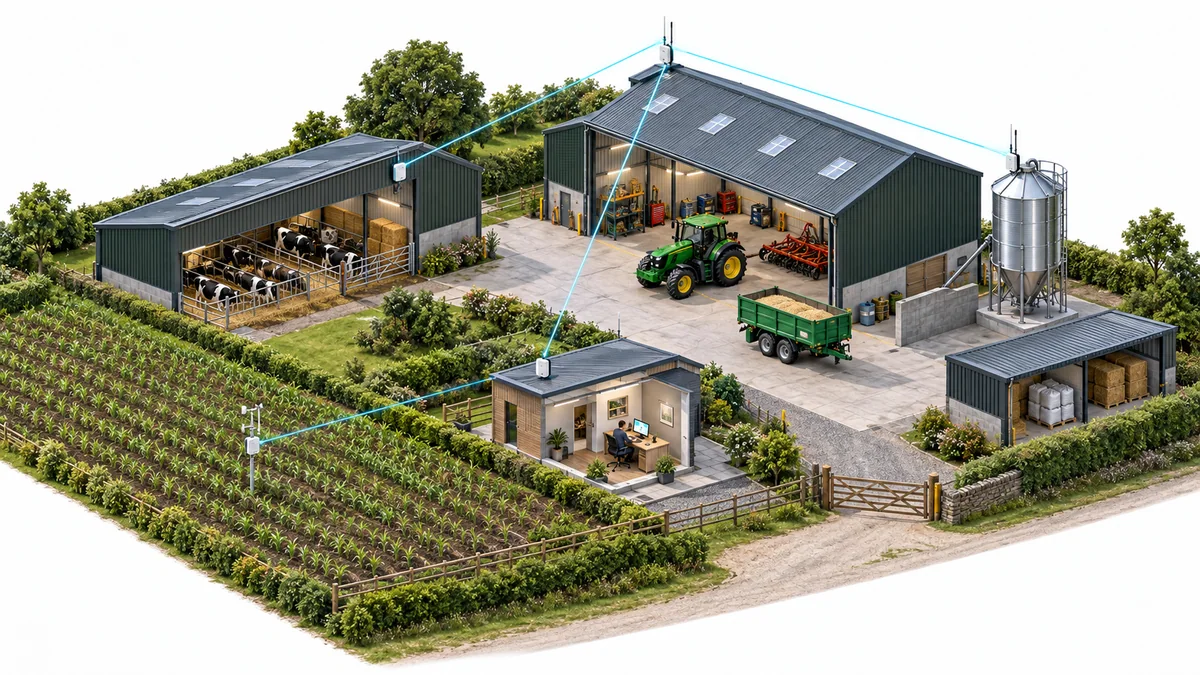
A workshop, warehouse or remote office without a useful connection creates paper handovers and unnecessary trips. A suitable point-to-point wireless link extends the network between buildings, giving the remote team access to the same applications and information.
Define what the second building needs
List the applications and traffic that must cross the link, including uploads, camera streams, voice and backups. Confirm whether the first building has enough internet or network capacity to share and how the destination connects to its local devices.
Separate the building-to-building link from the services on either side. Radios alone do not supply an internet circuit, local Wi-Fi or application hosting. Include switching, routing, access controls and support responsibilities in the scope.
Survey the complete path
Assess potential mounting positions, obstructions and the clearance around the radio path, often described as the Fresnel zone. Consider trees, future building work, access for alignment and the stability of the supports. CableFree’s planning guidance includes path and link-budget assessment as part of wireless design.
Different frequency and equipment choices have different path, weather, interference and licensing considerations. Ask the designer to document the proposed capacity and availability assumptions for the actual route. A product’s peak rate is not a commitment to usable application throughput in every condition.
Example: two warehouses across a yard
A business could connect a second warehouse to an existing network where excavation would disrupt vehicle movements. Assess roof access, mounting and power at both ends, then measure the stock-management and office traffic expected at the destination.
Compare a suitable wireless design with available fibre routes over the same operating period. Include installation, maintenance access and what the business would do during a link failure. Test representative applications after installation rather than accepting a radio-status screen alone.
Example: cameras at a remote building
A farm or industrial estate could use a building link to return footage from a small camera group to a recorder. Calculate the transmitted traffic from the camera settings and recording plan, and check the power and local network at the remote end.
Test recording and remote viewing under representative activity, including interruption and restoration of the link. Where footage must continue during a failure, assess suitable local recording and later access rather than assuming the radio link provides that continuity.
What changes the price?
Equipment is one line in the budget. Add surveys, mounts, access equipment, cabling, electrical work, configuration, any spectrum arrangements and testing. Roof access and a difficult route can change the installation effort even when the radios are identical.
Compare quotations against a common traffic and availability requirement. Confirm the operating and support responsibilities, and establish any current licensing requirements for the proposed configuration before installation. Do not treat a general article price or an equipment rate as a site quotation.
We assess the estate and help build the case
Tell us what is getting in the way or what you want to achieve. We handle the technical assessment and explain the options, deployment costs and ongoing support. Start with a focused improvement or move ahead with a wider programme.
Discuss a building-to-building connection. If a mobile connection is also being considered for cameras, use the CCTV data and access guide to compare the complete workload and operating cost.