Stations and offices
Support everyday commercial mobile calls and data.

Seneca Enterprise · Across the UK
Keep everyday business calls connected across the station. Improve commercial mobile reception in offices, vehicle bays and staff areas.
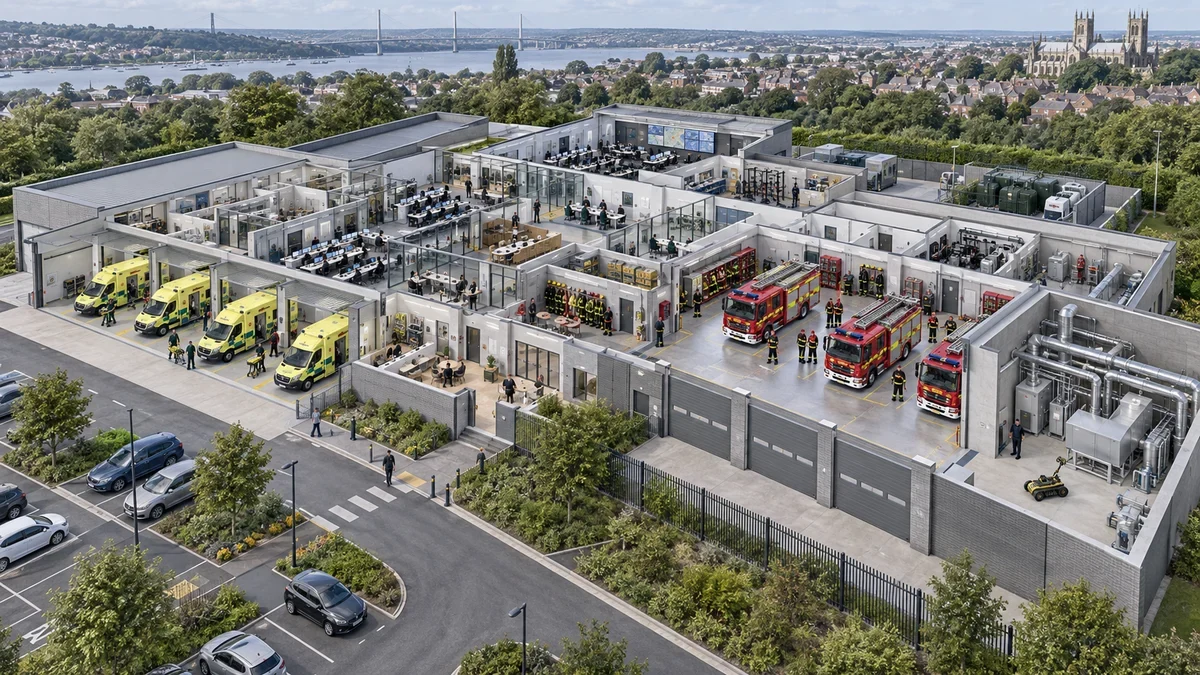
Steel vehicle bays, thick walls and enclosed rooms can make commercial mobile calls unreliable. Contractors and staff end up stepping outside or relaying routine information through colleagues.
Support everyday commercial mobile calls and data.
Assess reception through metal-framed working areas.
Define commercial mobile coverage separately from operational radio systems.
Seneca scopes commercial mobile coverage for EE, O2, Vodafone and Three around the estate’s requirements. ESN, Airwave and other operational radio systems retain their own engineering, assurance and support arrangements.
The return for your operation
Keep everyday estate work moving. Staff, contractors and suppliers stay in contact across station offices, bays and support rooms using their commercial mobile phones.
Reach estates and maintenance teams without pulling them away from the job.
Handle delivery queries and contractor updates from the working area.
Give staff and visitors coverage on the commercial networks selected for the site.
Build the business case
Vehicle bays, secure access, shift patterns and separation from operational communications affect installation.
| Size | CEL-FI GO G41Single-network LTEInstalled entry option | CEL-FI GO G41 rental / month | QUATRA 4000e4-network LTEAll four UK networks | QUATRA 4000e rental / month | QUATRA EVO2-network LTETwo networks, lower cost | QUATRA EVO rental / month | QUATRA 100MSingle-network 5GA single network, on 5G | QUATRA 100M rental / month |
|---|---|---|---|---|---|---|---|---|
| Up to 1,000 m² → | £2,000Installed · one network | £40 | £25,000–£41,000 | £515–£845 | £16,500–£27,000 | £340–£555 | £16,500–£28,000 | £340–£575 |
| 1,001–5,000 m² → | See QUATRA options → | — | £31,500–£88,500 | £650–£1,820 | £20,500–£54,500 | £420–£1,120 | £21,500–£49,500 | £445–£1,020 |
| 5,001–10,000 m² → | See QUATRA options → | — | £69,000–£130,500 | £1,420–£2,685 | £42,500–£81,000 | £875–£1,670 | £38,500–£77,000 | £795–£1,585 |
Illustrative monthly rental, ex VAT, over 60 months at an assumed 9% effective annual rate. Calculated from the installed cost shown (or its underlying unrounded calculator total), with no deposit, additional fees or final balloon payment; rounded to the nearest £5. Payments start one month after funding. A budgeting illustration, not a rental offer; availability, inclusions and end-of-term arrangements are agreed separately.
Indicative; confirmed by survey; ex VAT. Ranges include equipment, antennas, cabling, survey, design, installation, commissioning and one-year support. Excludes travel & accommodation and optional hardware replacement.
GO G41: £2,000 installed for a suitable single-network site up to 1,000 m². QUATRA ranges cover each area band using the sector’s building profile. Floor layout and available outdoor signal are confirmed by survey.
One accountable partner
We assess your estate, recommend the right system and build the business case with you. Start with one site or move straight to a wider rollout.
We assess the signal, design the distribution and commission the finished installation. JOTS DAS requirements guide operator-connected systems, with operator coordination managed as part of the project.
We select network-safe equipment and establish the applicable Ofcom requirements and operator arrangements. You receive a system designed for its intended use.
We coordinate installation around your operation, then provide ongoing management and local support. One partner takes responsibility from assessment to handover and beyond.
This is commercial mobile coverage for everyday calls and data on networks such as EE, O2, Vodafone and Three. ESN and Airwave are dedicated operational communications systems with their own design and assurance arrangements.
For an emergency-service estate in the middle area band above, the indicative ranges are QUATRA 4000e: £31,500–£88,500; QUATRA EVO: £20,500–£54,500; QUATRA 100M: £21,500–£49,500. Vehicle bays, secure access, shift patterns and separation from operational communications affect installation. Ranges include equipment, antennas, cabling, survey, design, installation, commissioning and one-year support. Indicative; confirmed by survey; ex VAT. Travel, accommodation and optional hardware replacement are excluded.
Existing compatible phones and SIMs connect through the networks included in your system. We match the equipment and bands to the devices and networks you use.
Tell us where reception is getting in the way. We assess your estate, recommend the right approach and provide a firm quote covering installation and ongoing support.
Connect the other places where your people work.
Tell us where reception interrupts work. We’ll assess the requirement and help you build the business case.
Get an instant estimate